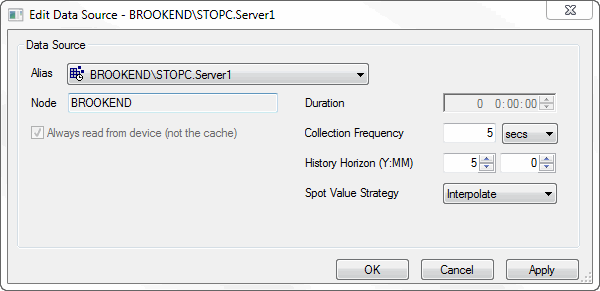
When the chosen Data Source is an HDA OPCServer, the Edit Data Source dialog will looks as follows:
|
Field: |
Description: |
|
Node |
The name of the node upon which the HDA OPCServer is running. |
|
Collection Frequency |
The frequency at which stPro will read data from the OPC Server. |
|
The amount of history to display within a Plot Window. stPro will not request history older than this duration from the HDA OPC Server.
Tip: Reducing this duration increases the size of the time scroll bar relative to the total width of the plot making it easier to use and decreasing the sensitivity of pan operations. |
|
|
The possible options are:
|
Note: When SapphireTrend reads data from an HDA OPC Server it uses the ReadProcessed method to reduce the volume of data returned for large plot durations. This means that often the data returned will be 'Interpolated' rather than raw data, but is of significant performance benefit.
Tip: Interpolated data is delimited with an (I) after the value in the item details area.